Two-way Wahoo sync
Keep your Wahoo.
Add a coach who knows your rides.
Your Wahoo has recorded every ride and every interval. Bring them into Pelaris, and your coach plans your next week from the riding you have actually done.
Wahoo, connected both ways
Your Wahoo records every ride. Pelaris plans the next one. Connect your Wahoo cloud account and rides come in while structured workouts go back out to your ELEMNT, free on every plan including Beach.
Rides arrive through Wahoo Cloud
Rides and workouts recorded on your Wahoo flow into Pelaris through your Wahoo cloud account, with no file exports.
Structured workouts go to your ELEMNT
Planned sessions are pushed to Wahoo as structured plan_file workouts, with warm-up, intervals, recoveries and targets, so your ELEMNT bike computer or Wahoo watch has the session ready.
Your plan stays current
When your coach adapts the week, the workout waiting on your Wahoo updates with it.
Never counted twice
A ride that reaches Pelaris from Wahoo and from Strava or a FIT file joins into one session on your timeline.
Connect in under a minute
-
Step 1
Open Connect & Sync
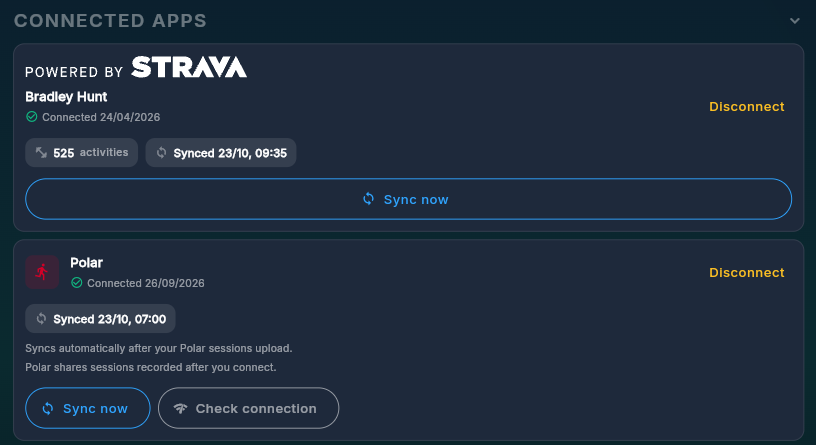
Click Connect & Sync in Pelaris (or open Profile, then Connected Apps) and choose Connect on the Wahoo card.
-
Step 2
Approve on Wahoo
Sign in and approve what Pelaris can read and send. You can disconnect any time in Connected Apps.
-
Step 3
Train as normal
New sessions arrive on their own, and your coach uses them in your next plan decision.
Want every detail on activity matching, watch workout sports and disconnecting? See every Pelaris integration .
What your coach does with your Wahoo training
Puts the planned ride on your bike computer
Intervals, targets and recoveries are on your ELEMNT before you leave, so you follow the session without checking your phone.
Marks the ride done with the real numbers
Finish the ride and Pelaris matches it to the plan, with your real time, distance, power and heart rate.
Adapts next week from the riding you did
An unplanned long ride or a race changes the load, and your coach adjusts what comes next.
One ride at a time, from the Wahoo app
In the Wahoo app
- Open the History tab and choose the ride.
- Tap the three dots on the summary, then Share activity, then Download .fit activity.
- Drop the files into Pelaris under Profile, Data, Bring your history across.
Every step, with what comes across and what does not: import FIT files into Pelaris. Stuck on a file? Import FIT files from your watch lists every message you might see.
Your data stays yours
- Pelaris imports workout summaries, splits, laps and your device model, never your GPS route or map.
- FIT files are read in memory on our servers and then discarded.
- Your training data is never sold or used to train AI models.
- Connecting your watch, importing history, and exporting your data back out are all free.
More on the privacy page.
Train on more than one device?
Lifting in Hevy, Strong, Fitbod, JEFIT or FitNotes too? Bring that history across as well.
Garmin, COROS, Suunto, Polar and Wahoo are trademarks of their respective owners. Pelaris is independent and not affiliated with or endorsed by them.
Pelaris for Wahoo, answered
Why can I not download a ride yet? +
Does importing my history cost anything? +
Will my Wahoo sessions be counted twice if Strava already sent them? +
Does Pelaris keep my GPS route? +
Can I use this on both web and mobile? +
Keep your Wahoo, add a coach
Your Wahoo is brilliant at recording. Pelaris turns that record into a plan that adapts to the week you actually had.