First Light: Pelaris 1.4, from your first session to the horizon
Pelaris 1.4 First Light: a guided first day, plans that stay live, two programs, seasons, a one-switch coach, share cards and a bigger Body Scan.
On this page (11 sections)
First light is the pale hour before sunrise, when the horizon first shows itself and you can see where you are going. It is also the best name I could find for the moment a program stops being a plan and becomes a morning you actually trained. Pelaris 1.4 is built around that moment. It gets you to your first session on your first day, keeps your plan alive when a week gets away from you, shows you what changed and why, and gives you good-looking ways to share the work. Body Scan gets its biggest update yet, your coach gets one clear switch, and ChatGPT and Claude now take you straight to Pelaris when you ask them for a program. To swim across the ocean, you start at the beach and aim for the horizon. This release is the stretch between the two.
Your first day
A first session should not need a map. Open a link from one of our sport pages, say AFL, and the app already knows what you came for. The intake asks in plain words: pick the goal that sounds like you, from “Run my first 5 km” to “Get stronger in the gym” to “Build a training habit I can stick to”, or say you are not sure yet. If you play a sport with regular matches, Pelaris asks whether you are in season, because the answer changes how your week is built.
Then a short sheet asks where you would like to begin: a program built around you (about ten minutes), a body scan (about two), or start training right now (about one). When your program is ready, Review first shows you your first session and the evening you will do it. Lock it in, or pick another day that suits you better.
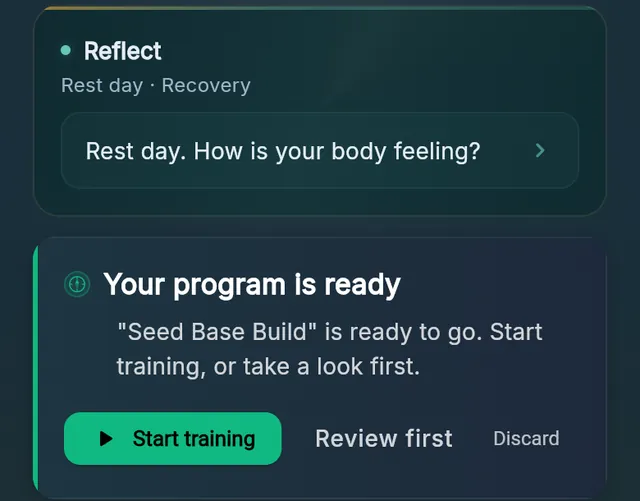
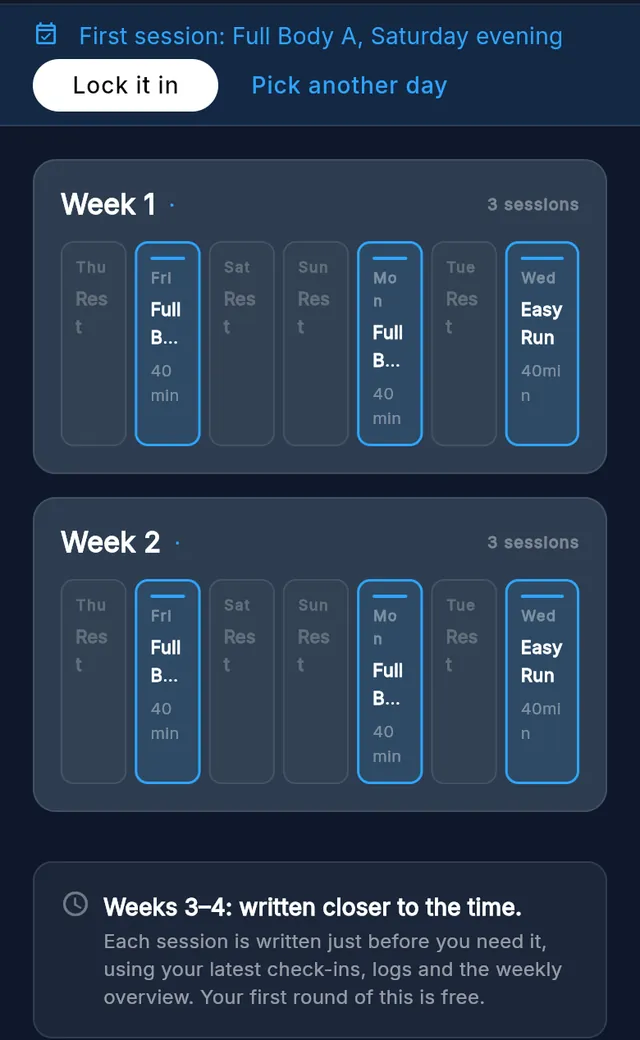
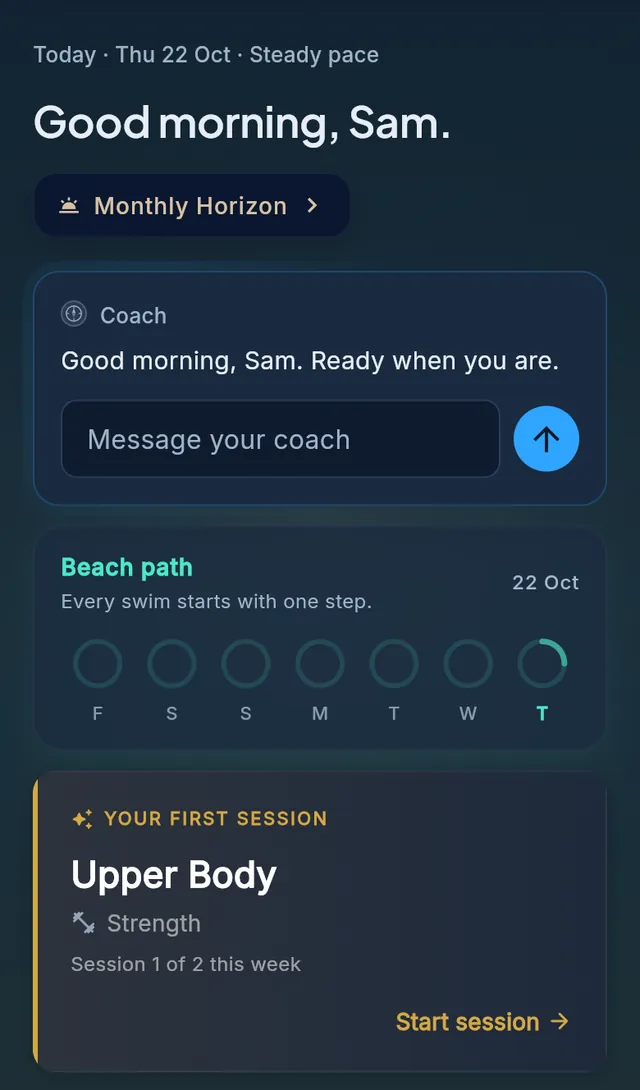
On the day, Today puts one thing in front of you. A gold card says Your first session, with the session, where it sits in your first week and a Start session button. The cards that count your week wait until you have trained once. Finish, save how it felt, and the summary tells you what is next up and when.
If your first program session is a few days away, your coach can add up to two short starter sessions on the free days before it. They are labelled Starter session, they show on Today and in Train, and finishing one counts.
Plans that stay live, and adapt
Most apps hand you a program and leave it alone. Pelaris keeps writing it: next week is written from this week, so the program you open on Thursday knows what you did on Tuesday. First Light makes sure that plan stays alive.
Come back and it is waiting. If you have been away, sign in and your program picks up where you are now. It moves forward by whole weeks, everything you have done stays done, and nothing tells you that you are behind. If you drifted and want a cleaner start, one tap on Restart from this week moves the rest of the program forward and keeps your history exactly as it is. There is more on this in our guide to returning to training after a break.
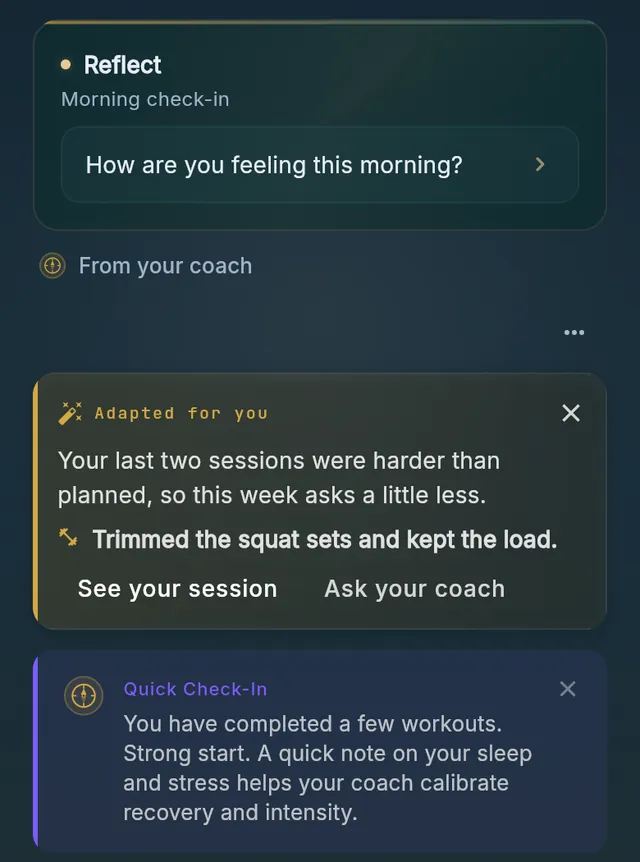
See what changed. When your coach adapts a session, Today says so. A gold Adapted for you note gives the reason in a sentence, lists each session it touched, and has buttons to see the session or ask your coach. Open the session and its Coach tab names what changed.
Changed your mind? Until you have started a program you can remove it for free, or swap it for a fresh one, and nothing is lost.
The free start on Beach, and upgrading
Beach is free forever: logging and tracking, your full history, every chart, PR detection, benchmarks, the weekly debrief, CSV export, your fitness connections, the coach conversation, and Pelaris in ChatGPT and Claude. On top of that, every new member gets a full program and a month of it adapting to them, free, no card. That free month is two weeks of program, two more weeks your coach adapts to you, and any starter sessions before your program begins. The adapting happens for you, usually about a week into your program. There is nothing to switch on.
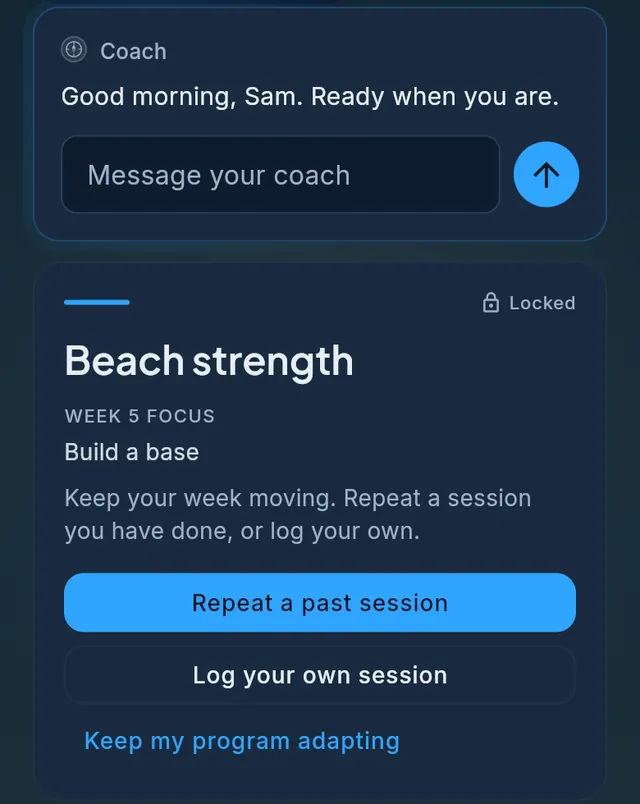
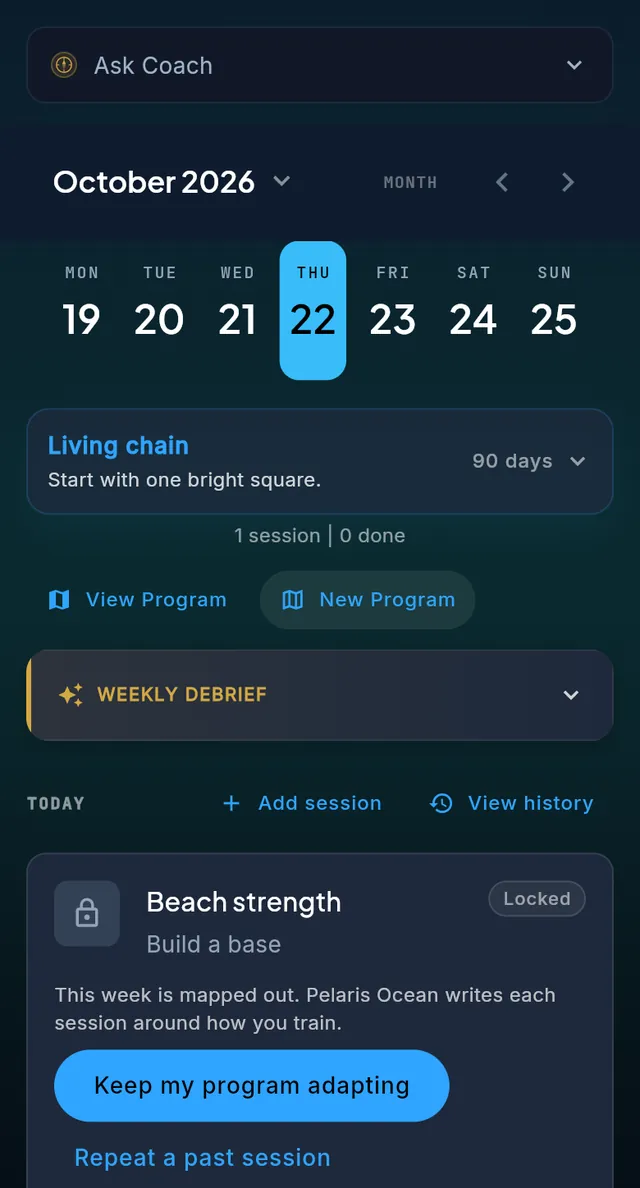
When your free month ends your program stays exactly where it is. Every week already written is yours to train, and the weeks beyond it show as previews so you can see where the program is heading: the week, its focus and a quiet lock. You can keep training in the meantime. Repeat a past session or Log your own session, any day, free on every plan, and both count like any other session.
When you want the program to keep going, choose a plan under Profile, then Plans. Pelaris Ocean brings a fresh AI program every month, an AI body scan every month, and a program that keeps adapting, at AUD 15 a month or AUD 120 a year. Pelaris Horizon removes the limits, with unlimited programs and body scans, at AUD 20 a month or AUD 160 a year. Prices include GST. Your program comes back to life within minutes, picking up exactly where it paused. The details are on the pricing page and in your free month of adapting. If you joined before general availability (Spring Tide, 1 October 2026), nothing changes for you: you are a founding member, every feature free, forever.
Two programs, and your season
Life is not one goal at a time, so Pelaris now holds two programs side by side. Train shows the sessions from both on the same day, each labelled with its program, Profile lists both as active, and Today shows what is coming from each. If two sessions land on the same day, a card can offer a better day for one of them, with a button to keep it where it is and one to talk it through with your coach. When you build a second program you can add it alongside the first or replace the first, and how often you can build a new one still depends on your plan.
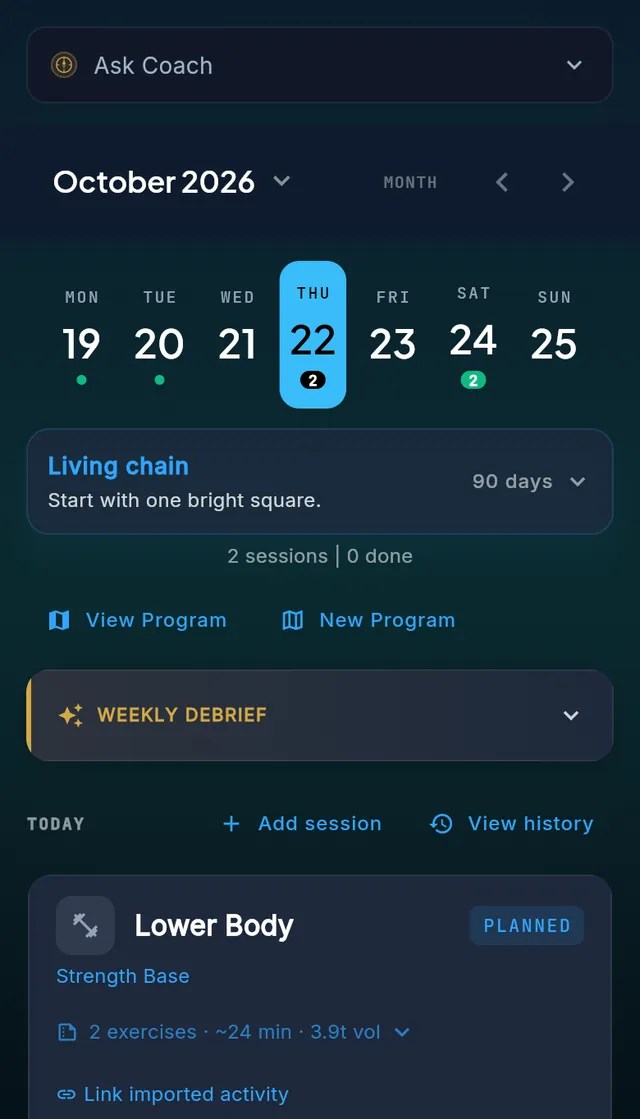
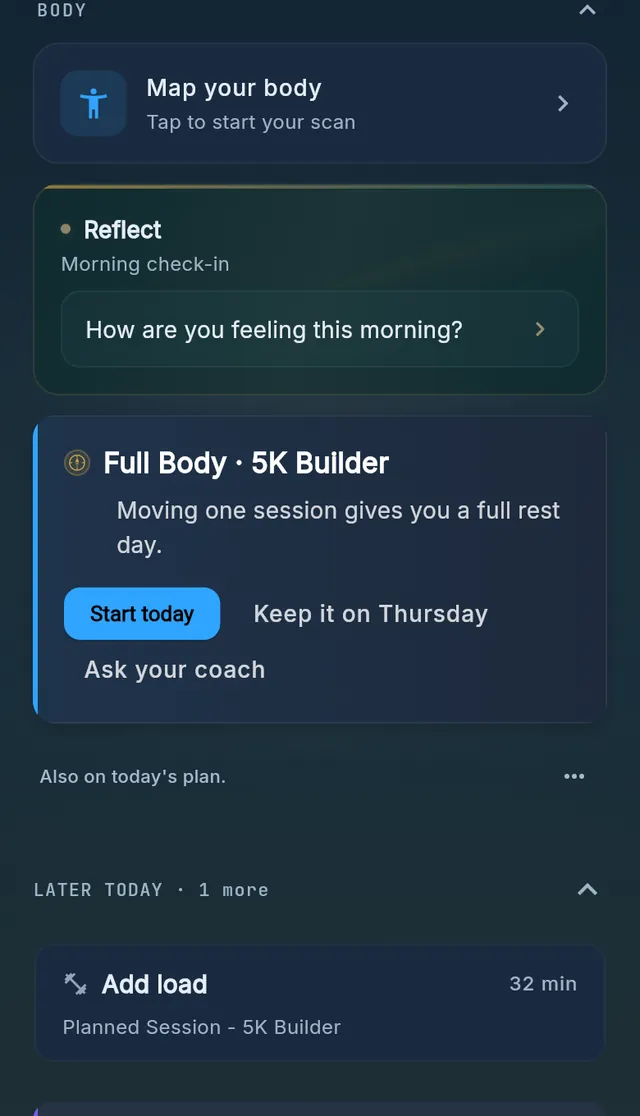
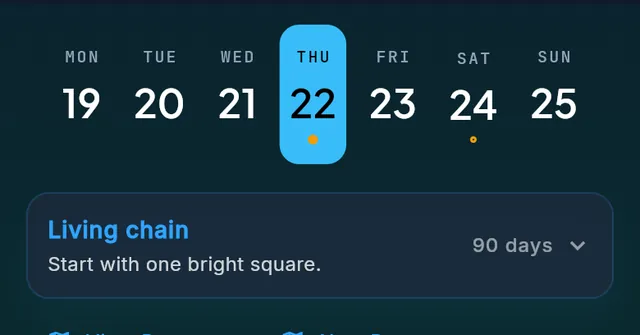
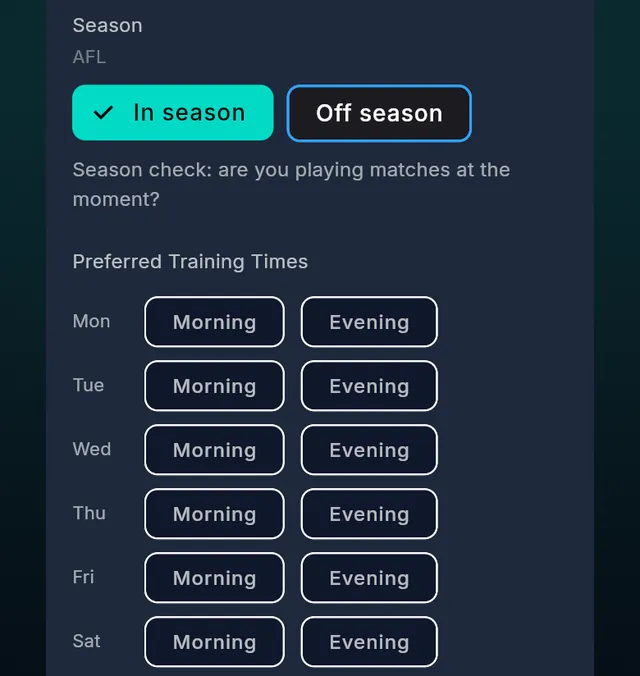
Seasons work the same way for team sport. Choose In season or Off season in Profile and Pelaris builds around it: match days and team training days show as amber dots on your Train week, and when you switch to off season it asks whether you would like to train on the day that just became free. Off season, match days no longer block your week. There is more in our guide to in-season training for team sports, and the match-day planner is free to use.
Your coach, your call
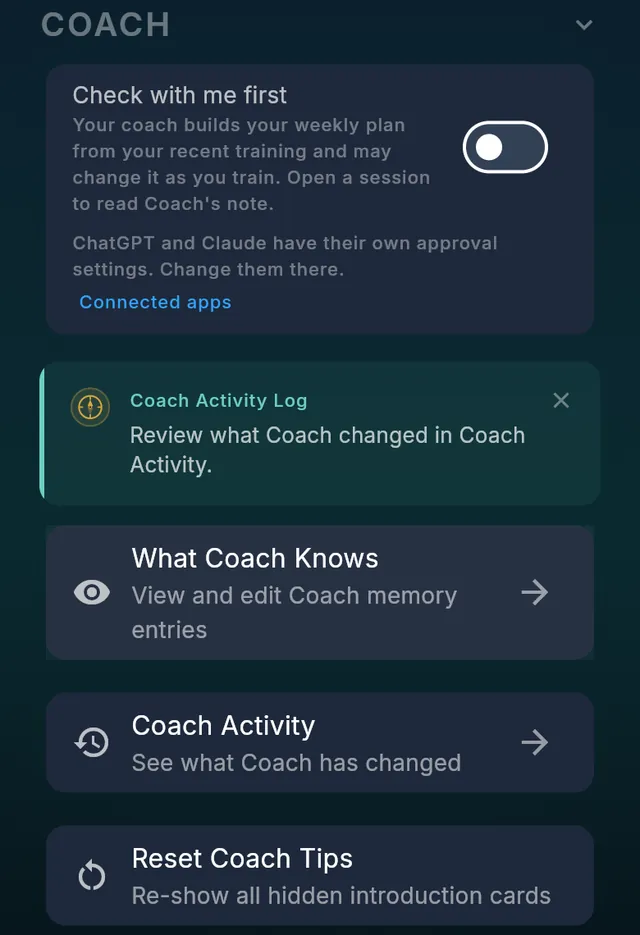
Some people want a coach that just gets on with it. Others want to be asked first. First Light gives you one switch for it, in Profile under Coach, called Check with me first.
Switched off, your coach builds your weekly plan from your recent training and may change it as you train, and you can open any session to read Coach’s note. Switched on, your coach asks before it changes a session you already have, and your weekly plan is still built for you. If you had chosen the most careful setting before, it comes across as on. ChatGPT and Claude keep their own approval settings, and the switch links you straight to them. Coach Activity lists what your coach has changed, so you can always see.
Share your sessions
After a good session you can turn it into a card worth posting. The share studio opens from the finished session with a row of tabs, and a tab only appears when there is something true to say.
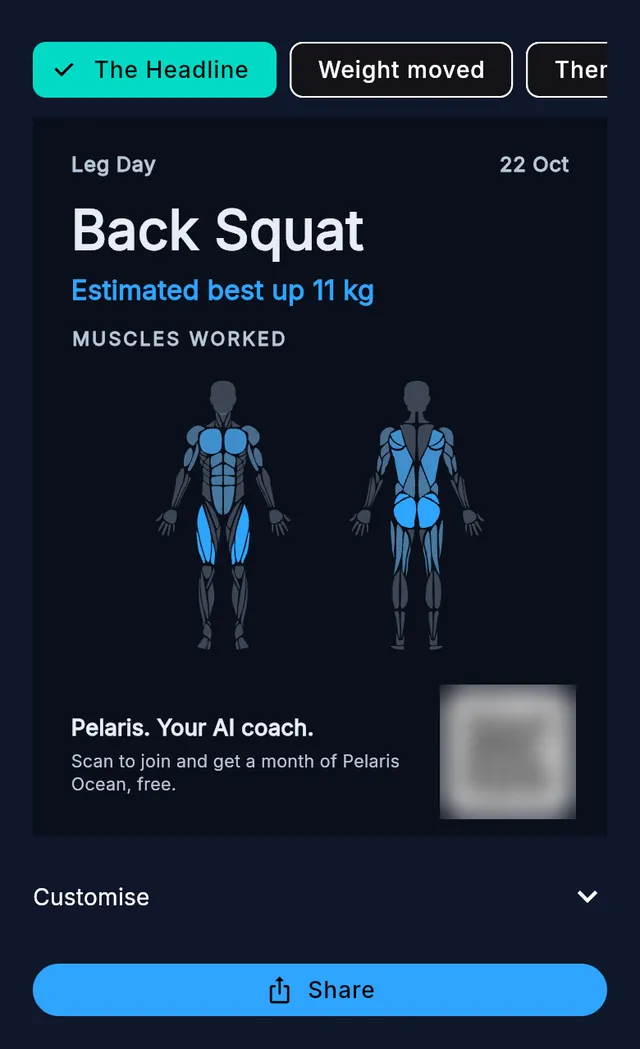
- The Headline puts the lift large, with a line such as “Estimated best up 11 kg” and the muscles you worked, front and back.
- Weight moved adds up the session and compares it to something you can picture.
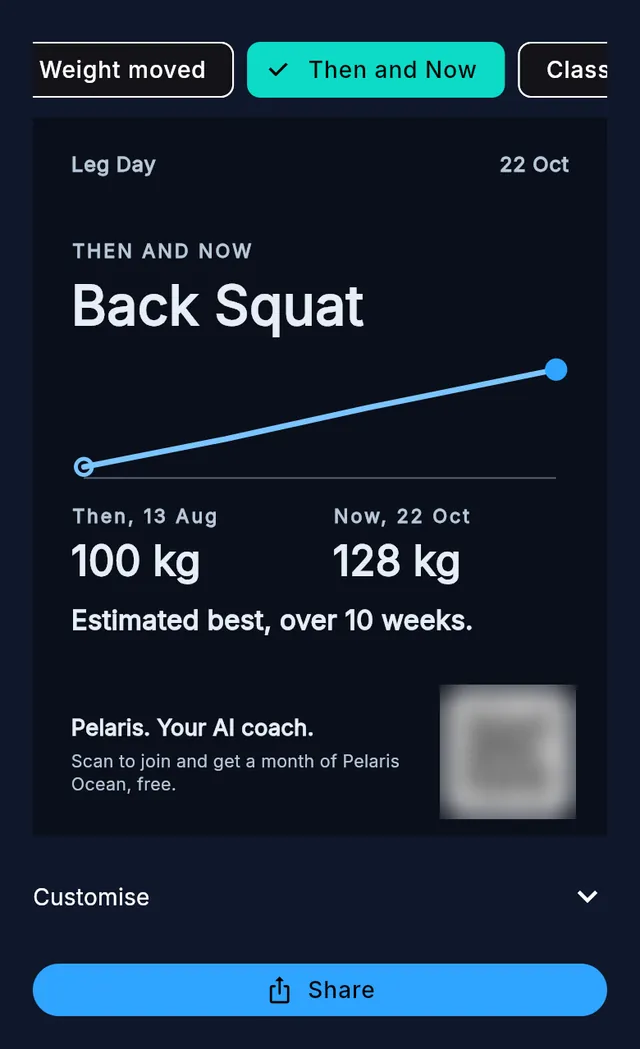
- Then and Now draws your estimated best over the weeks, and only appears when it is a step forward.
- Pace gives a run its distance, pace and time. There is no map and no route, and heart rate stays off until you switch it on.
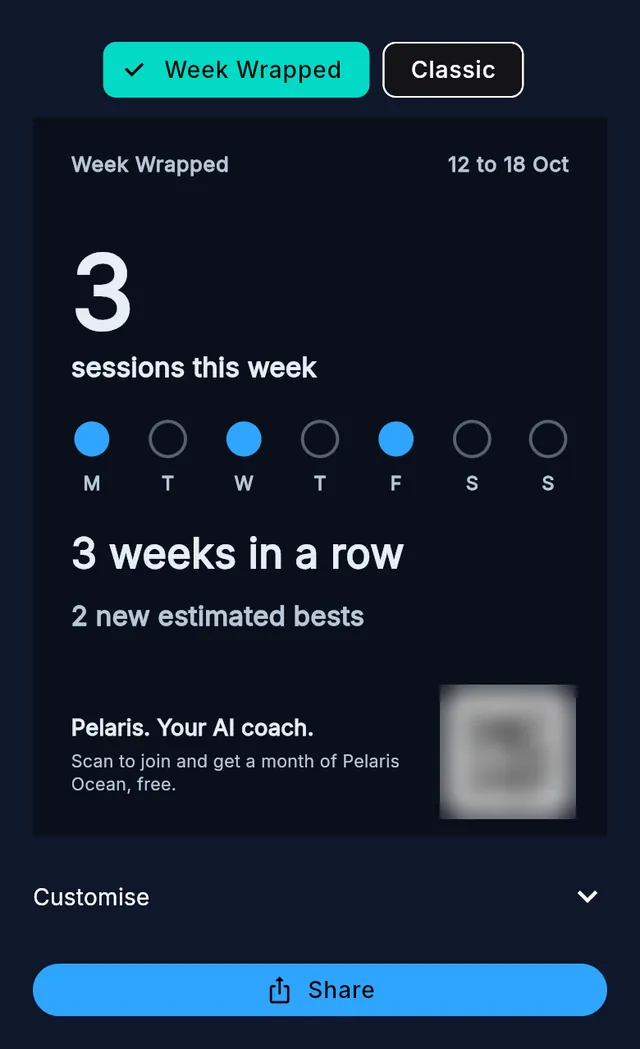
- Week Wrapped sums up your week from your weekly wrap: sessions, the days you trained, weeks in a row and new estimated bests.
- Classic is the card you already know.
Choose a Story or a Feed shape, a solid card or a clear one to place over your own photo, and share it. There is no first name on the new cards, every best is marked as an estimate, and the numbers are whole and in your own unit.
Body Scan: the Big Update
Body Scan is the biggest part of this release, and the idea behind it is simple. Your body is more than a number, and a trend you can see is worth more than a score. Here is what is new.
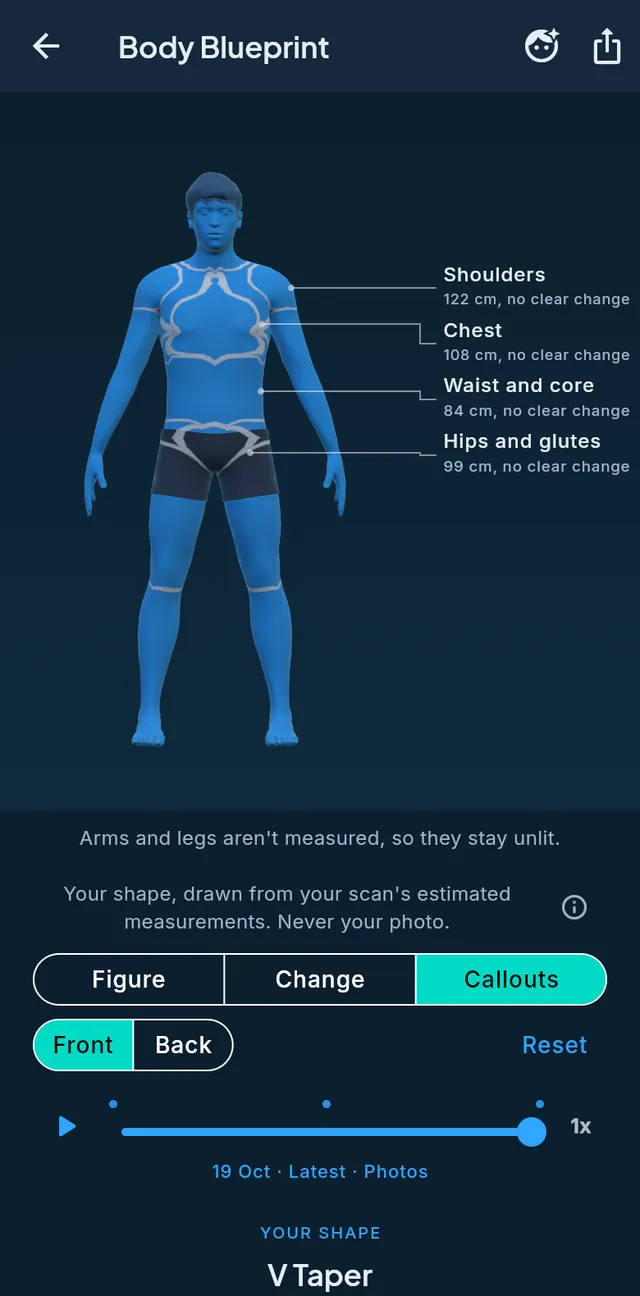
A new figure. The 3D Body Blueprint is redrawn for men and women: a smoother figure, drawn from your own measurements, in opaque slate shorts (and a sports bra on the female figure). Choose from 29 hair styles, or none. Callouts puts each measurement beside the region it belongs to.
See what changed. The Change view lights up the regions that moved between two check-ins, brighter for a bigger change, with plain words for direction: measured more, measured less, no clear change. There is no good or bad colour. You can compare any two check-ins, play your journey, and share a Card, a Then and now, a Change map or a short animated GIF. A share holds your shape and, if you choose, your invite code. It never holds a photo, your name or your email.
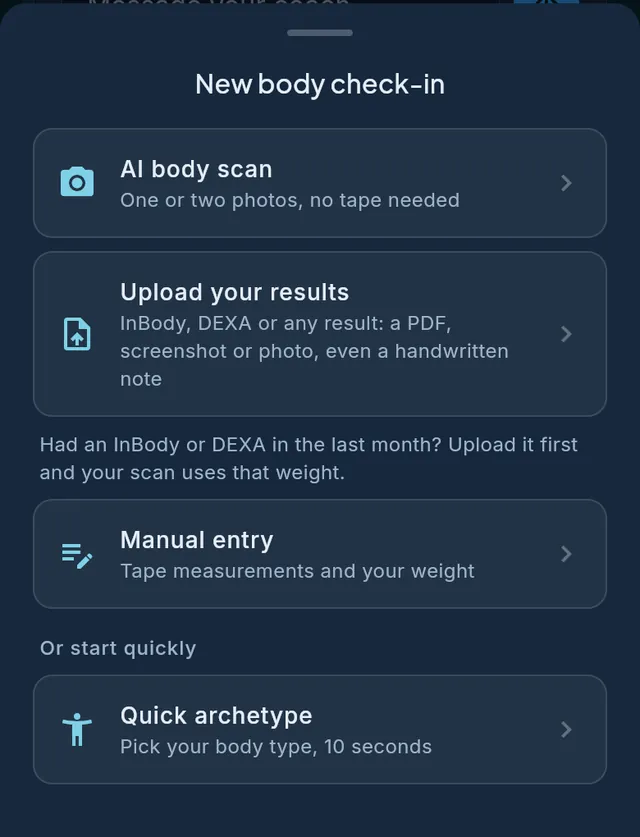
More ways to check in. The check-in sheet now offers an AI body scan, a way to bring in your results, Manual entry and Quick archetype, with six redrawn silhouettes to start from. A scan or your own tape measurements both count toward the next Then and now. Two weeks after a check-in, Today asks whether you would like to refresh your Blueprint, and you can say later.
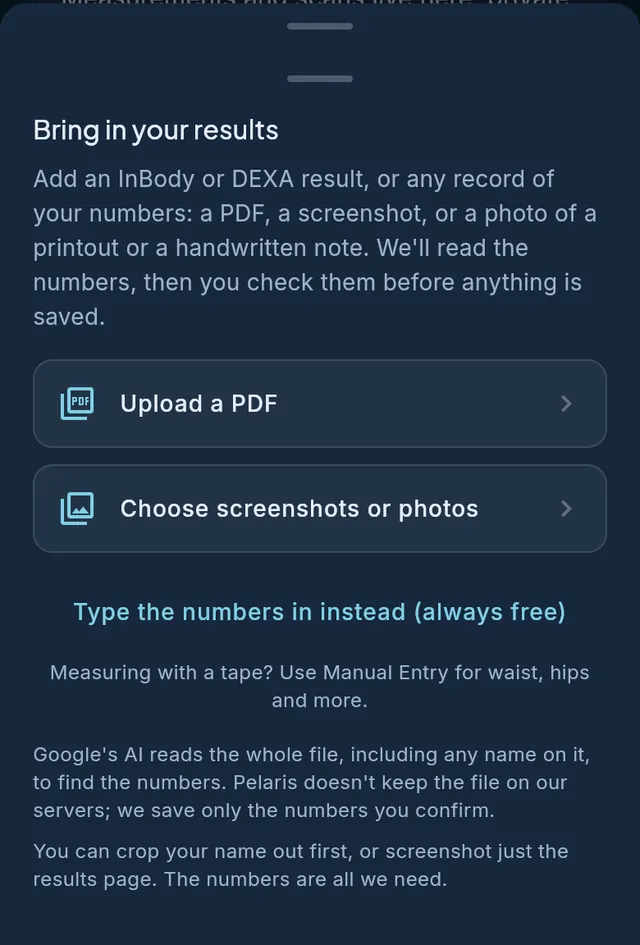
Bring your results in. Already have an InBody or a DEXA? Upload the PDF, a screenshot or a photo and Pelaris reads the numbers for you. It also reads other written records of your measurements: a printout from a gym scale, a photo of your scale’s screen, a note from your coach, even a handwritten note. You check every number before anything is saved, and your measured weight, body fat and lean mass then sit beside your photo scans. On a phone you can choose a PDF straight from your files. Typing your numbers in is always free. Google’s AI reads the whole file, including any name on it, to find the numbers, Pelaris does not keep the file on our servers, and we save only the numbers you confirm.
A Body switch in Profile lets you opt out of scanning and back in whenever you like. Body scanning estimates visible shape and proportion. It is not a medical measurement, and it is not a substitute for a DEXA. The comparison of DEXA, bioimpedance, 3D scanners and AI photo analysis goes through each method honestly, and the full tour is on the Body Scan page.
Pelaris in ChatGPT and Claude
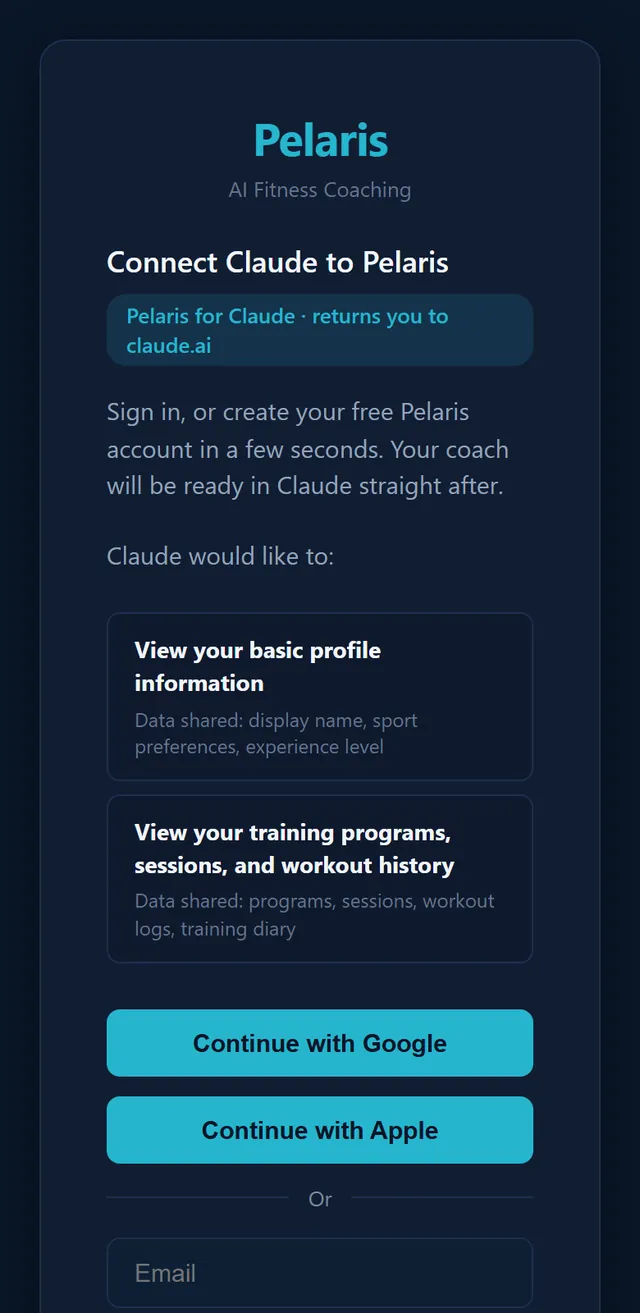
Your assistant is still one message away from your training. Ask it for today’s session, log a workout, ask why the week looks the way it does, or move a session around a Saturday race, and it reads and updates the same program you open in the app. If you are new, you can create your free account as you connect.
What changes is how a new program starts. A program is a big piece of work, and it is better built where you can watch it come together. So when you ask ChatGPT or Claude for one, they now send you to Pelaris, where your program is built around you, and you can open it in the app or on the web. If your intake is not done, the assistant can take you through it in the chat first. Pausing or removing a program you have started happens in the app, where you can see exactly what it does. The full walkthrough is on the ChatGPT fitness plugin page, and the Tideway release explains how the assistants and the app share one coach.
New free tools, and the science behind them
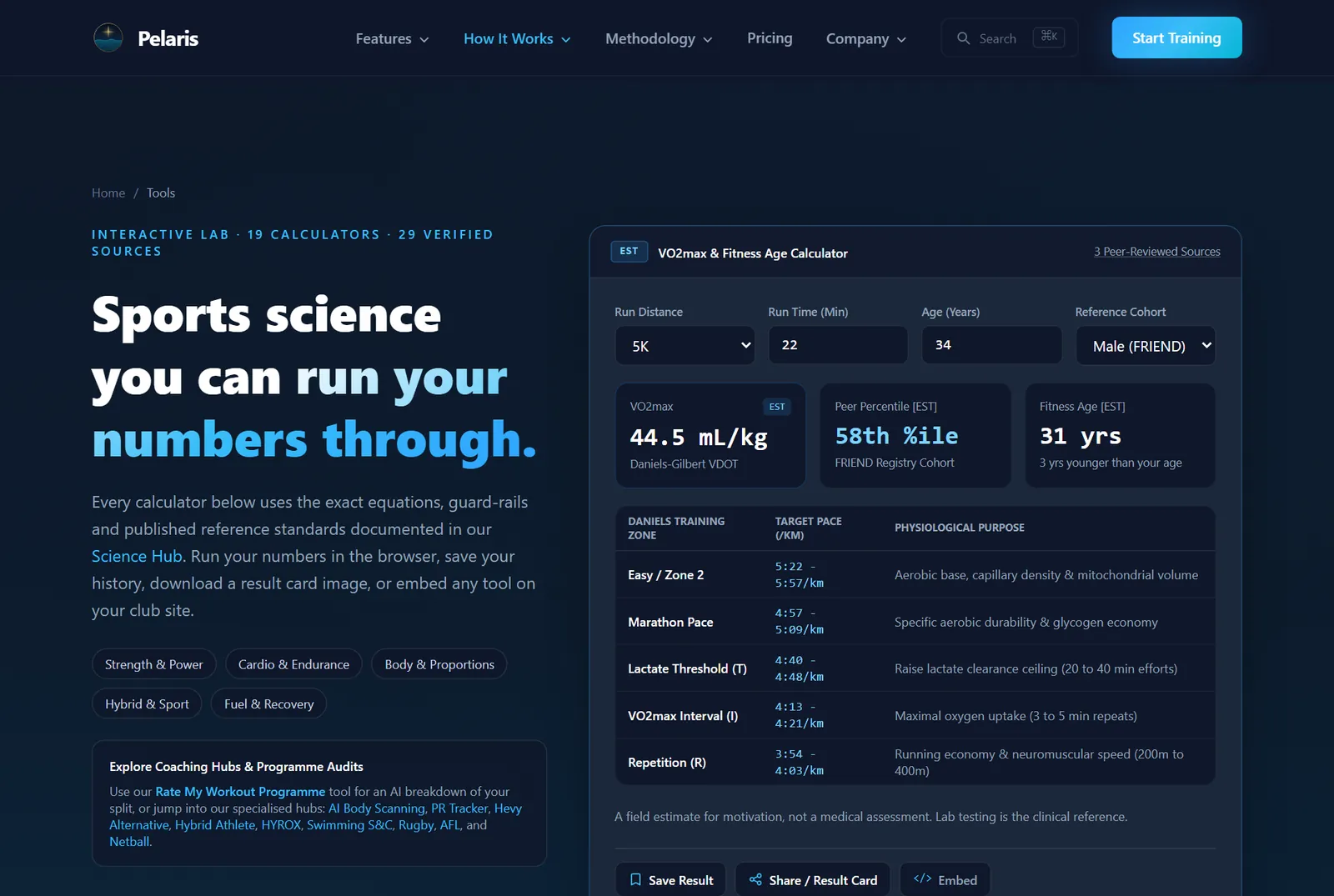
First Light also brings the Tools hub: 19 free calculators that run in your browser, with no sign-in. There is a 1RM and reps-in-reserve calculator, a race time predictor, VO2max and fitness age, Zone 2 and heart rate zones, a HYROX split calculator, and more. Each one shows its formula and the research behind it, and each can be shared as a result card or embedded on a club or coaching site. The 1RM calculator uses the same formula as the app, so one set reads the same number in both.
Three new science pages sit behind them: what BMI and waist ratios actually measure, how Pelaris projects a 1RM and race times, and how it estimates VO2max and fitness age.
What is next
First Light is the first half of a longer job: getting you from your first session to the horizon with as little in the way as possible. We would rather show you than promise you. The feedback button in the app comes straight to us, and we read every one.
Start at the beach, and aim for the horizon.
The changelog
For people who like the detail. Pelaris 1.4, First Light:
- First day: goal chips in the intake, with “I’m not sure yet”; a season question for team sport; the “Where should we begin?” sheet; Review first with Lock it in and Pick another day; the gold first-session card; Next up after a session; entry links from sport pages that open the right intake.
- Starter sessions: up to two short sessions before your first program session, and a quiet “Skip the rest and I’ll build a starter plan” link if your intake stalls.
- Plans: your program resumes when you return; Restart from this week; Adapted for you notes on Today; Remove this program and Replace it free before you start; a ready notification when your program is built.
- Free start: your first program and its free month of adapting, no card; previews of the weeks after, with the lock; Repeat a past session and Log your own session on every plan; a welcome card and a Build my program button when you upgrade.
- Two programs: side by side in Train, Profile and Today; a clash card when sessions share a day; Add alongside when you build a second.
- Seasons: In season and Off season in Profile; match and team training markers on the Train week; a free day offer when you switch to off season; match days no longer block an off-season week.
- Coach: the Check with me first switch; Coach Activity shows one row for each adaptation.
- Share studio: The Headline, Weight moved, Then and Now, Pace, Week Wrapped and Classic; Story and Feed; solid and clear looks; no first name on the new cards.
- Body Scan: a redrawn 3D figure in opaque slate shorts; 29 hair styles; the Change view; six redrawn silhouettes; bring in InBody, DEXA and any written record of your numbers, with a PDF picker on phones; a Then and now GIF; a Profile switch for body scanning.
- ChatGPT and Claude: new people can create their free account as they connect; program requests link to Pelaris; pausing and removing a started program happens in the app.
- Site: 19 free calculators in the Tools hub, three science pages and embeddable calculators.
- Messages: gentle messages when your program is ready, when your intake is waiting and when you have been away. You choose which you receive in Profile.