technology · general
Tideway: a streaming coach, full onboarding through your AI assistant, and one spine behind both
This is the release that takes the coach Bedrock rebuilt and the features around it, and puts them everywhere you talk to an AI, on one shared spine.
Bedrock rebuilt the coach as a tool-using agent on a single curated core. Tideway opened that core. The in-app coach and any assistant you connect over the open Model Context Protocol, Claude and ChatGPT among them, now run on the exact same tools. And it closed the two biggest gaps that were left: you can now complete your onboarding and generate a real program from a conversation, not just a form.
The name fits. A tideway is the tidal reach of a river, the stretch where the river’s current and the incoming sea meet and move as one. The coach you talk to in the app and the coach you reach through an outside assistant used to be two implementations drifting apart. Now they run as one tide.
Here is what changed and why.
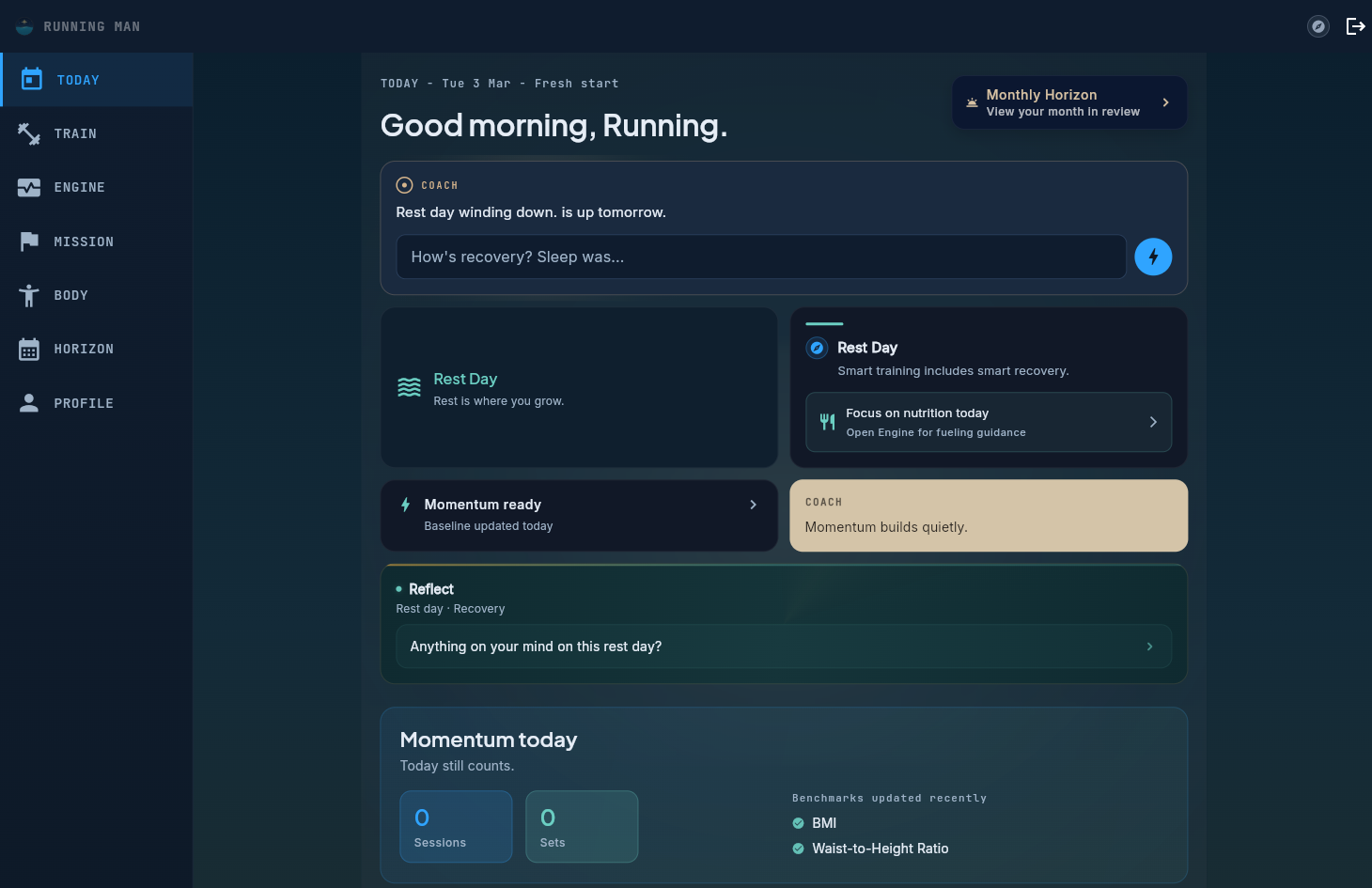 The coach, post-Tideway. The same agent, whether you reach it in the app or through your assistant.
One spine, two surfaces
The honest version of the old setup: the in-app coach had one set of training tools, and the MCP server had its own reimplementation of similar logic. Two codebases, two slightly different ideas of what “a session” was. That is exactly how cross-tool bugs are born. A read tool would describe a planned session one way, an action tool would look for it somewhere else, and the edit would miss.
Tideway collapsed that into one spine. The training logic lives in a single curated core. The in-app coach calls it directly, in process. An outside assistant calls it through a thin authenticated bridge over the MCP. Same tools, same contract, same definition of a session, reached two ways.
What this unlocks is structural. Every capability we add is added once, to the core, and both surfaces get it at the same time. There is no second implementation to remember to update, and no slow drift between “what the app coach can do” and “what the assistant-side coach can do.” I wrote up the engineering of building an MCP server separately.
Full onboarding and a real program, from a conversation
This is the headline. Until now, onboarding meant the in-app intake form, and program generation lived inside the app. An outside assistant could read your training, which is already more than what a general-purpose AI usually knows about your training plan, but it could not start you from zero.
Now you can. The Pelaris MCP exposes two new tools: one completes your intake, and one generates and enrols a complete program. So you can sit in a conversation with Claude, ChatGPT, or any assistant that speaks MCP, talk through your goals and constraints, and walk out the other side with a real, active program. It is generated server-side by the same pipeline the app uses, and scored by the same eight-criterion quality judge that runs on every generation. The program that lands is the genuine article, not a sketch.
A few things we were deliberate about, because opening a training surface to the outside world is a responsibility, not just a feature:
Writes are confirmed. Anything that changes your training data is proposed and confirmed with you before it commits. The coach does not generate a program, swap an exercise, or rewrite your week on a guess.
Access is scoped and rate-limited. The connection uses scoped OAuth with per-tool permission scopes. Program generation, which triggers real AI inference, carries its own tighter rate limit on top of the ordinary write limit, so the surface cannot be turned into a way to burn compute.
The privacy scrubber still runs. The same scrubber that protects your data in the app runs over every payload that crosses the bridge. Opening the protocol did not open your data.
The Pelaris MCP server is open source. If you want to see exactly what a tool does before you let it touch your training, you can read it.
A coach that streams, knows your name, and keeps up
The deepest work in this release was on how the coach feels to talk to, a discipline of its own, and one we have written about before in what good in-workout coaching actually sounds like.
It streams. The reply now forms in front of you, clause by clause, as the coach writes it, instead of leaving you watching a spinner and then dropping in a wall of text. The wait did not get much shorter, but it stopped feeling like a wait, because you can see the answer arriving.
It knows your name. A quirk in how we protected your identity meant the coach could never actually address you. It does now. Small thing, completely different feeling.
It keeps up with you. Your message lands in the thread the instant you send it, the “thinking” indicator counts real elapsed seconds rather than a cosmetic animation, and the input stays focused so you can keep typing. First text arrives sooner, too.
Its tone adapts by understanding, not rules. Tell the coach you bombed every session this week and it meets you there. Tell it you smashed a deadlift PR and it celebrates with you. That read of the moment is made by the model, because judging how someone feels is understanding, not a threshold to compute.
It stopped guessing from keywords. Phrase a request sideways (“shuffle tomorrow’s stuff to the day after”) and the coach still does the right thing, because it interprets what you mean rather than scanning for trigger words.
Read it, then change it, same session
Here is a bug that used to be quietly maddening. The coach would happily tell you about an upcoming planned session, then fail to find that same session when you asked it to move or edit one. The tool that read your schedule and the tool that changed it did not agree on which session you meant.
Tideway fixed that at the spine. The tools that read your training and the tools that act on it now resolve the same sessions the same way. The coach acts on the exact session it just showed you, planned or logged, in the app or through your assistant.
Intake that remembers where each answer came from
The intake foundations grew a memory. Every field in your profile now records where it came from: something you entered, something the coach learned, or a default. That sounds like plumbing, but it is what lets the coach fill the gaps in your profile through normal conversation, knowing what is genuinely yours versus what is still a placeholder it should ask about. It is the groundwork for onboarding that feels like a conversation instead of a wall of questions.
Benchmarks that know which way is better
A quieter fix, but a real one. The benchmark catalogue now records, for each benchmark, which direction is actually an improvement (a faster 5k time is better, a heavier deadlift is better, body measurements are context, not a leaderboard) and which library exercises feed each strength benchmark. Your progress now reads correctly instead of occasionally congratulating you for the wrong direction.
The core principle
Tideway did not change the core principle of the product: if a decision requires understanding, the AI makes it, and code handles execution. If anything it made the boundary cleaner. The tone read is the model’s, because it is understanding. The scoping, scrubbing, and rate limits around the open protocol are code, because they are structured execution. Opening the coach to the outside world only works if that line is drawn carefully, and it is.
What’s next
The spine is the platform now. Onboarding through conversation deepens from here, the coach keeps accumulating tools that both surfaces inherit at once, and the open protocol gives us a clean place to grow what an assistant can do on your behalf without ever leaving you out of the decision.
What this means for your training
- You can start from zero in a conversation. Talk through your goals with your assistant and walk away with a real, quality-scored program enrolled, not a draft.
- One coach, two doors. Whether you open the app or talk to your assistant, you are reaching the same agent with the same tools and the same memory of your training.
- The coach feels present. Replies stream in as they are written, it uses your name, it keeps up, and it reads the room.
- It acts on what it shows you. Ask to change the session it just described and it changes that session, every time.
- Opening up did not open your data. Scoped access, write confirmation, tighter limits on generation, and the same privacy scrubber throughout.
Tracking is free. Coaching is optional. Now your coach meets you wherever you already are.