Body Scanning
Your body, mapped
in one minute.
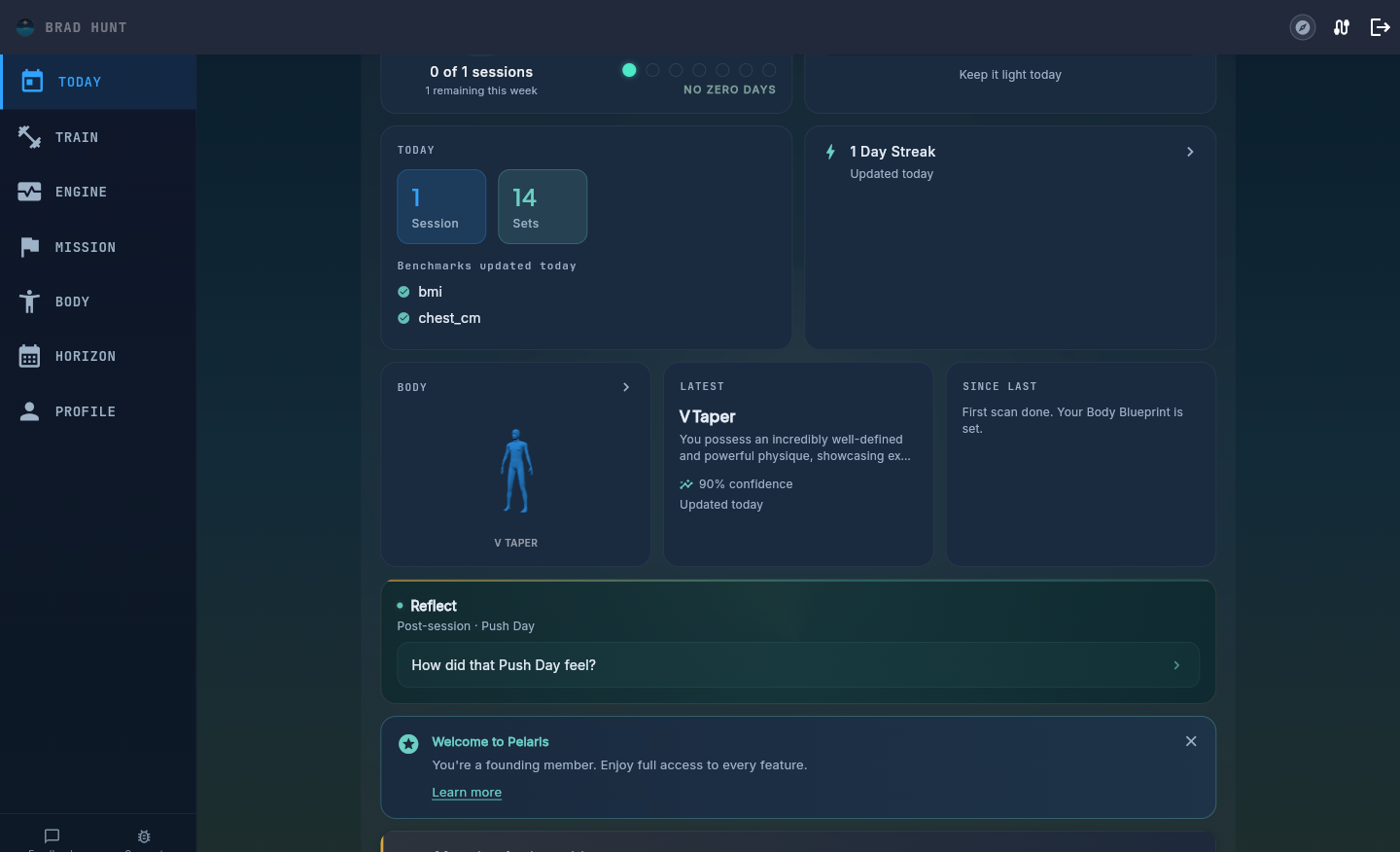
Two photos, front and side, from your phone or laptop. No calipers, no scanner, no gym visit. Pelaris turns them into your shape archetype, your proportion trends, and a live 3D Body Blueprint that updates every time you check in.
How it works
Two photos. One minute. No hardware.
Body scanning in Pelaris skips the gym booth and the calipers. Open the Body tab, take a front photo and a side photo, and the AI does the rest. No specialised camera and no appointment, your phone or your laptop webcam is enough.
Front and side, that’s it
Two photos captured in the app, the same two angles every time. That consistency is what makes the trend underneath meaningful.
AI reads your proportions
Shoulder, waist and hip proportions are estimated from the photos and classified into a shape archetype, the read a coach would give you by eye, done in seconds.
Results land where you look
Your latest scan, archetype, and what changed sit on Today and in the Body tab. No separate report to go and dig up.
What you get
An archetype, proportion tracking, and a narrative that explains it
Every scan classifies your build into a shape archetype and tracks the three proportions that define it: shoulders, waist and hips. After each check-in, the AI writes a short trend narrative in plain English, what changed since last time, and what it likely means given the training you’ve been logging.
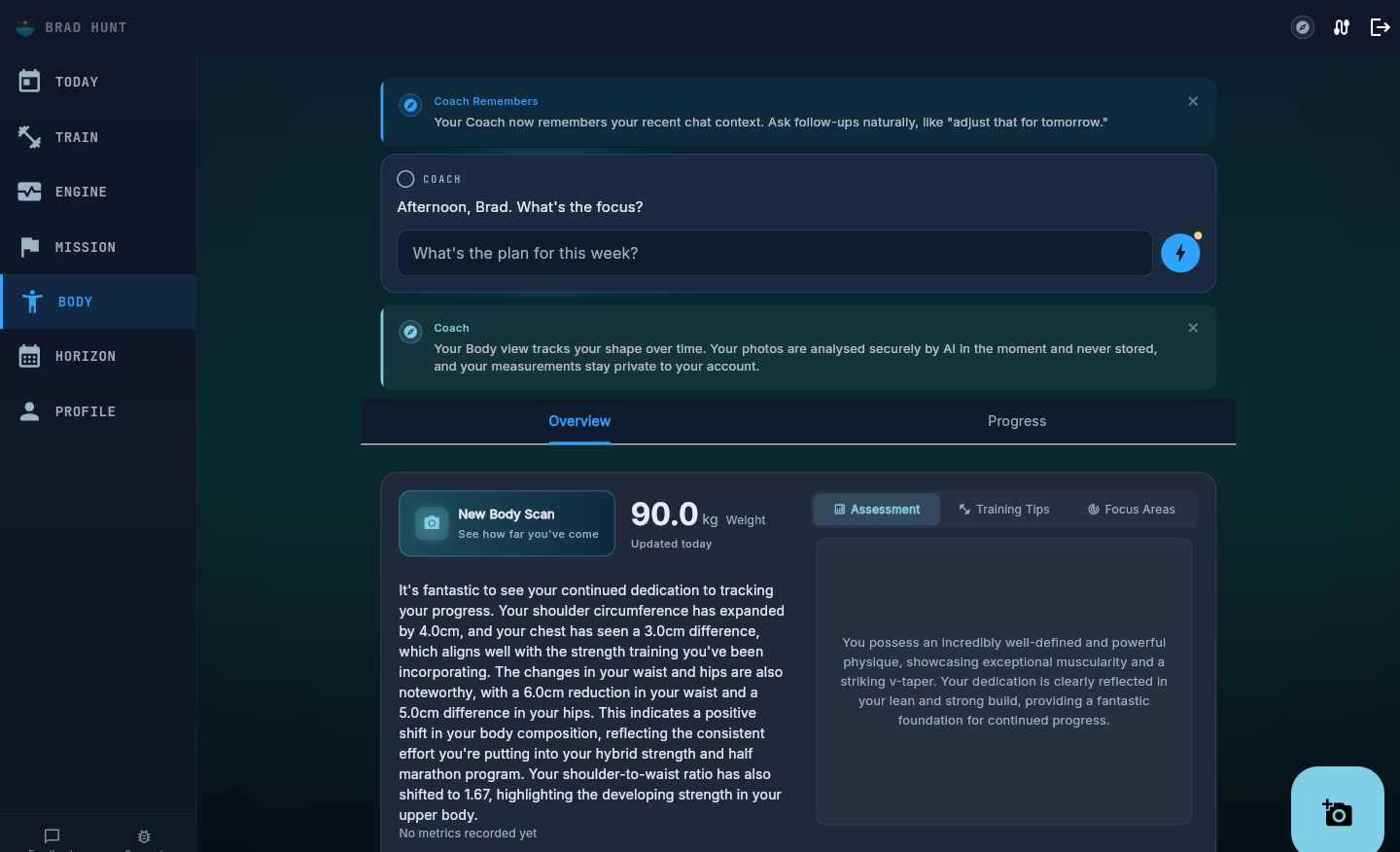
Example: “Your shoulder-to-waist ratio has shifted since your last scan, and it lines up with the strength work you’ve been logging. A small, consistent change, the kind that shows up in a trend long before it shows up in the mirror.”
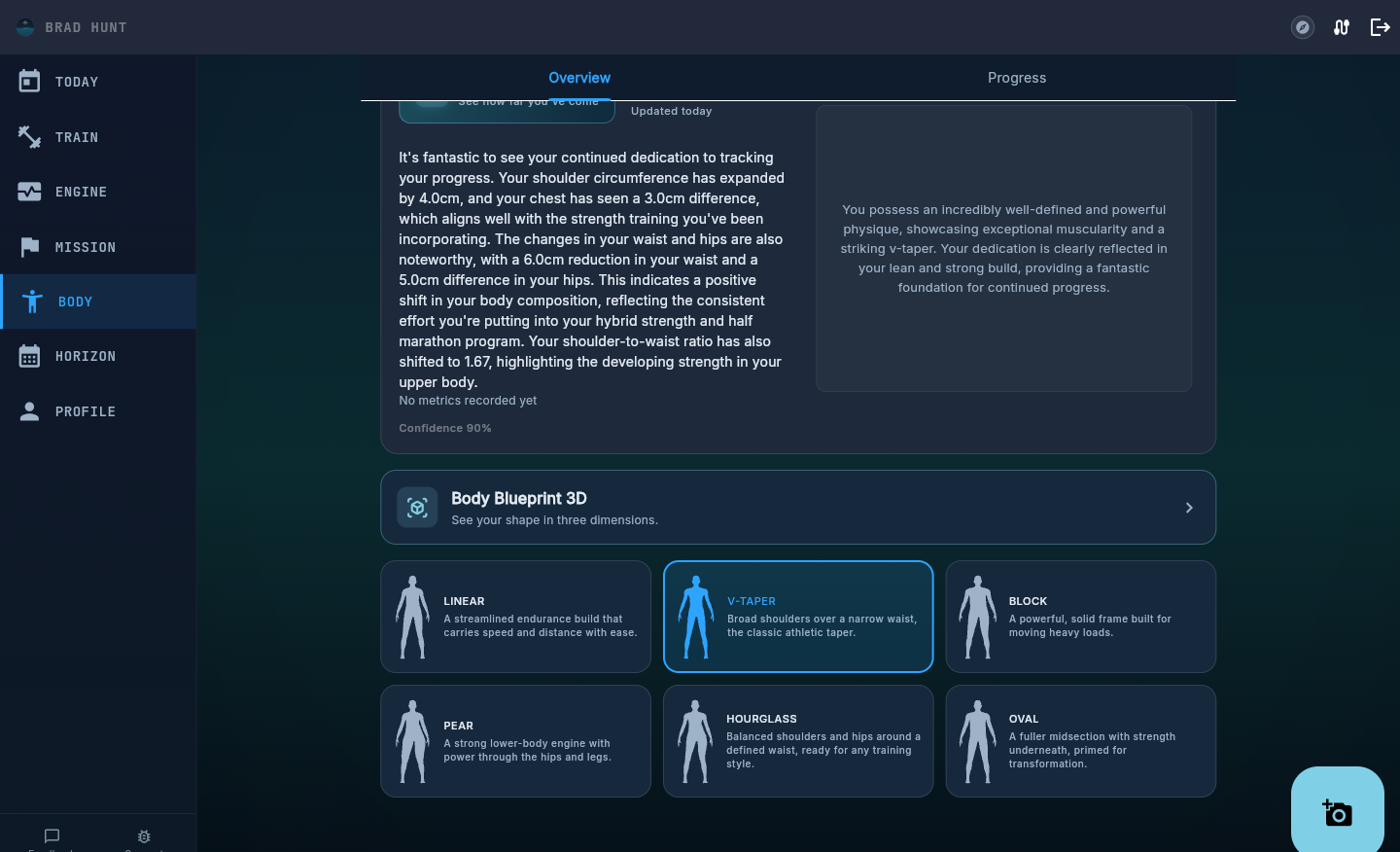
Shape archetypes
Six archetypes, one clear read on your build
Pelaris classifies your proportions into one of six archetypes. It is not a verdict, it is a starting point, and it moves as your training does.
The Body Blueprint
A 3D figure shaped by your own data
The Body Blueprint turns your measurements into a live, rotatable 3D figure. Not a stock model, yours. Drag to rotate it, and the zones that have changed most since your last scan are highlighted subtly, so you can see where the change is actually happening.
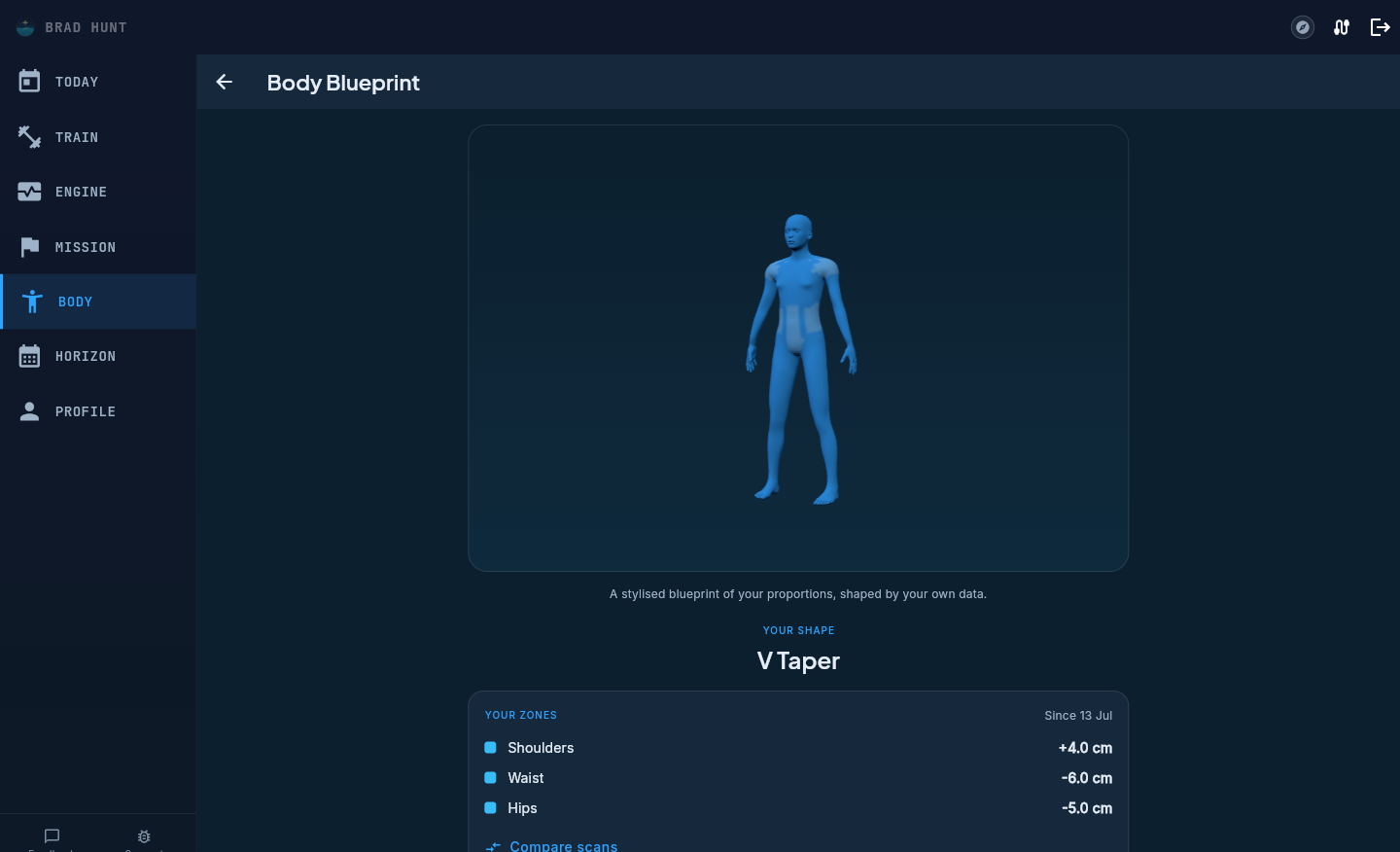
Example: Shoulders up 4cm, waist down 6cm, hips down 5cm since the last check-in. Three numbers, and the Blueprint shows exactly where they landed on your frame.
Progress over time
Watch your shape change, don’t just read about it
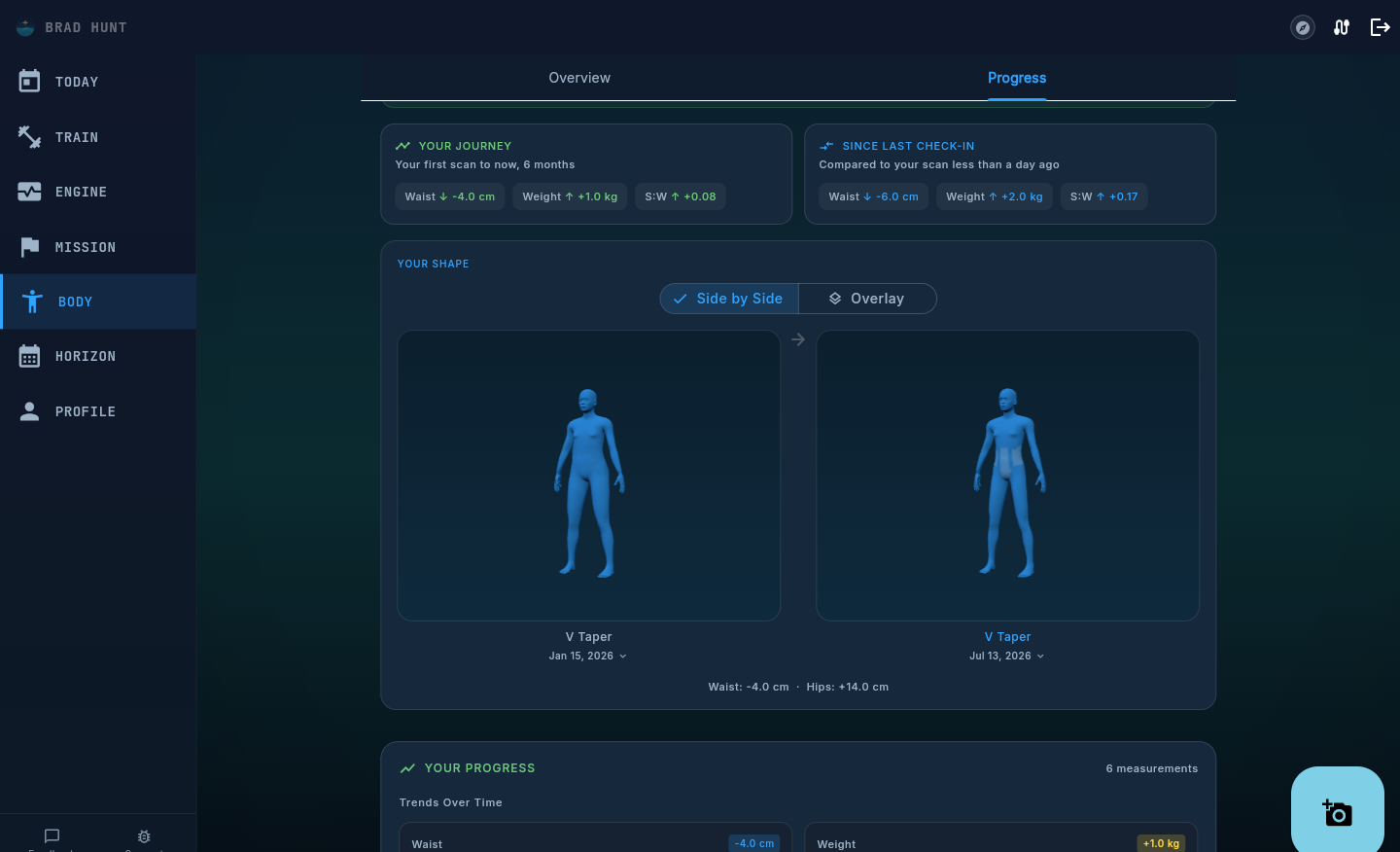
Side by side, or overlaid
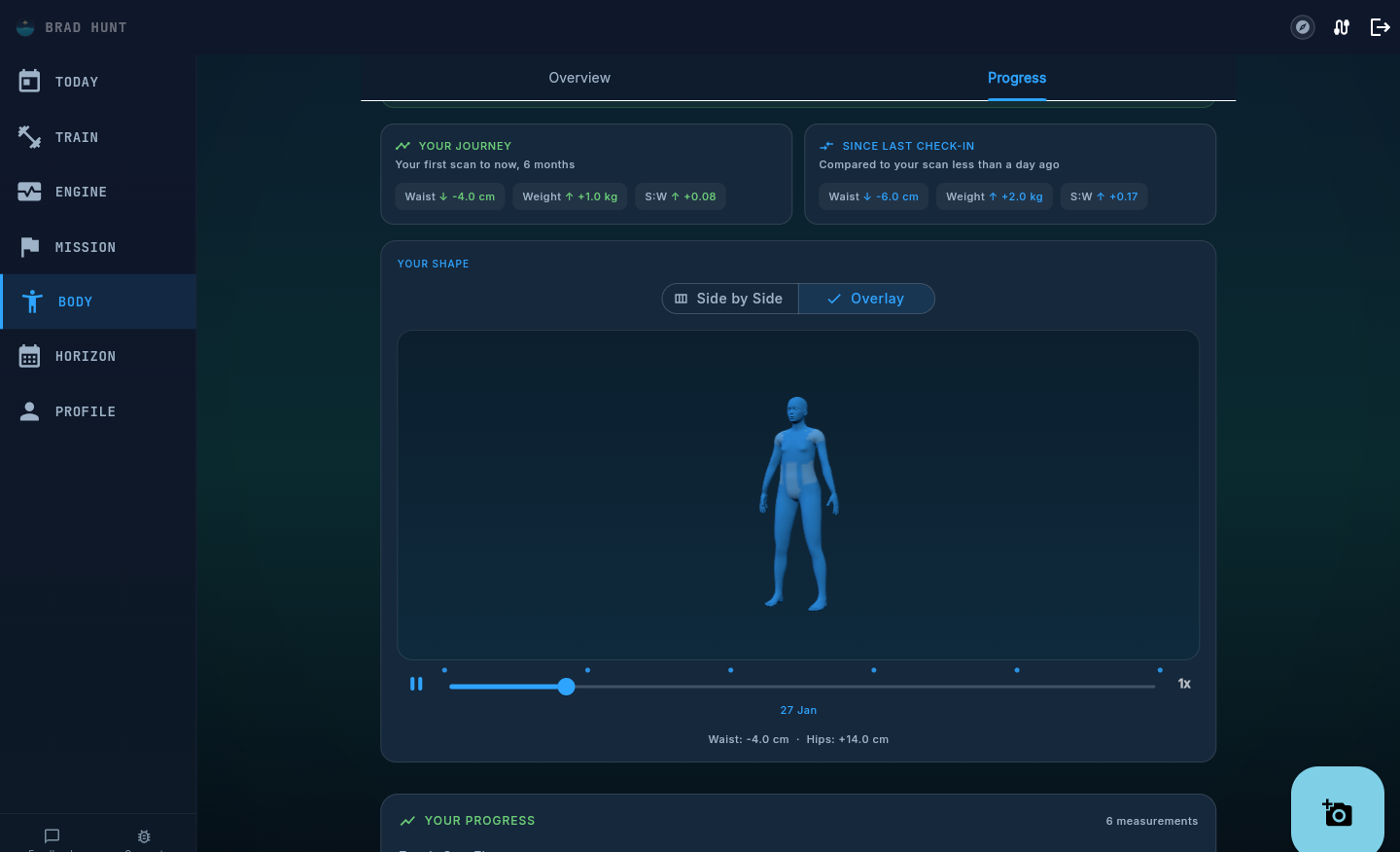
Pick any two check-ins and compare them side by side, with the exact centimetre and kilogram deltas underneath. Prefer one figure. Switch to Overlay and watch the two scans blend into a single view.
A timeline you can press play on
Every check-in becomes a checkpoint on a timeline. Press play and the 3D figure morphs from your first scan through every check-in since, all the way to today. Scrub to any point, pause, and rotate.
Muscles worked
An anatomical map of what you actually trained
Body scanning covers your shape over weeks and months. Muscles worked this week zooms in on the last seven days, an anatomical body map that highlights which muscle groups your logged sessions actually hit. It reads straight from your training log, so it reflects the sets you did, not the plan you meant to do.
Honest by design
A trend line, not a verdict
Body scanning tracks visible shape and proportion trends. It is not a medical instrument, and it does not replace a DEXA scan, a doctor, or your own judgement. What it is good at is the same thing a coach watching you over months is good at, noticing the pattern in the noise. The research behind BMI and the waist ratios, and what each one can honestly tell you, is set out on our body metrics science page.
The consistency of your photos matters more than any single scan. Same light, same distance, the same two angles, and the trend underneath becomes trustworthy even though any one scan has some margin in it. For the honest, method-by-method version of that argument, read how AI photo analysis stacks up against DEXA, bioimpedance, and 3D scanners.
Your photos, your control
A front and side photo is genuinely sensitive to hand over. Your photos are analysed by AI to work out your proportions and shape archetype, and what gets saved to your account afterwards is the resulting measurements, not a photo library.
Review your measurements, delete a scan, or turn body scanning off entirely, any time, from your account.
Read our Privacy Policy →Scanning is optional, never required to use Pelaris
What’s stored is your measurements, not a photo library
Review or delete any scan from your account at any time
Full detail in the Privacy Policy, including how photos are handled
Questions
Body scanning, answered
What photos do I need for a body scan? +
Is this the same as a DEXA scan or a body fat percentage test? +
How often should I scan? +
Does body scanning work on both mobile and desktop? +
What happens to my photos after a scan? +
See your shape, mapped
Two photos. No credit card, no hardware.